

PLAYDASH deposits, withdrawals and KYC
What the cashier shows a Singapore-facing account, how to deposit and withdraw step by step, which published limits exist, and how to avoid the holds that delay a payout.
Your cashier is the authority
Methods, currency, minimums and fees are shown per account, so the cashier confirms what applies to you. This guide explains how each step works.
After you log in, the cashier displays the deposit and withdrawal methods available to your profile, the currency of the account and the limits for each method. Location, selected currency and payment-provider availability can all change what appears, which is why the same brand can show different options to different users.
The account currency is shown during registration and in the cashier. SGD is not confirmed as the account currency for every Singapore account, and it is not confirmed whether currency can be changed after registration. Check it before your first deposit; if a conversion is involved, your bank or payment provider may apply its own rate and fee.
Payment methods for Singapore-facing accounts
The cashier for Singapore-facing accounts can include the options below. Availability depends on the account, so treat the list as what you may see rather than a promise:
- payment gateways Sure Pay (SurePay), Fast Pay (FastPay), DG Pay (DGPay) and TruePay for supported local transactions;
- online banking and Singapore local bank options, with approval inside your bank’s environment;
- QR Pay and local e-wallet options where the cashier shows them;
- USDT on TRC-20 or ERC-20.
A familiar local service is not automatically integrated. PayNow, for example, is not confirmed as a supported method for Singapore accounts — use it only if it appears in your own cashier. Malaysian wallets such as DuitNow QR and Touch ’n Go are confirmed for Malaysian accounts and should not be assumed for Singapore.
| Category | Status for Singapore-facing accounts | What to check in the cashier |
|---|---|---|
| Local QR and e-wallets | Shown per account | Whether the method supports both deposit and withdrawal |
| Online banking | Shown per account | Approval happens in your banking app |
| Bank transfer | Account-supported options | Limits, account-name rules and processing time |
| Cards | Not confirmed | Deposit and withdrawal support, issuer fees |
| PayNow | Not confirmed | Use only if it appears in your cashier |
| USDT (TRC-20 / ERC-20) | Confirmed | Correct network; crypto withdrawals need a previous crypto deposit |
Making a deposit
- Open the cashier and select a method shown for your account.
- Check the account currency and the minimum and maximum limits.
- If you want a bonus, activate it before paying when the offer requires it.
- Enter an amount within the displayed limits and review any provider fee.
- Confirm in your bank, wallet or crypto network.
- Check the balance and the transaction status.
Before you pay, confirm that the payment account is in your own name, that the method can also be used to withdraw, and — for crypto — that you selected the right network. Bank authentication happens inside your banking app. Never share a password, PIN or OTP, even with someone claiming to be support.
Published limits and how to read them
Some published PLAYDASH limits are set in Malaysian ringgit. They appear here with approximate SGD conversions for orientation, not as fixed Singapore-dollar limits.
The Singapore cashier shows the account-specific limits that actually apply. The table collects the published figures so you know what to compare against; if your cashier shows something different, the cashier wins.
| Item | Published figure | How to treat it |
|---|---|---|
| Minimum withdrawal | MYR 50 / ≈ SGD 15.70 | Ringgit-based; check your own cashier |
| Minimum deposit | MYR 30 / ≈ SGD 9.40 (Malaysian accounts) | Singapore minimum shown in the cashier |
| Bank transfer deposit | Up to MYR 30,000 / ≈ SGD 9,404 | Account limits may differ |
| Cryptocurrency deposit | Up to MYR 50,000 / ≈ SGD 15,674 | Account limits may differ |
| Withdrawal requests per day | Five requests or the daily limit, whichever comes first | Resets at 8:00 AM (UTC+8) |
| Stated withdrawal fee | 0% | Any fee is shown with the method in the cashier |
| Stated processing | Stated as around 10 minutes | Not guaranteed; depends on KYC, review and provider |
SGD figures are approximate conversions of the ringgit amounts and move with exchange rates. No processing time is guaranteed: verification status, internal review and the payment provider all affect how quickly a request completes.
Requesting a withdrawal
- Complete KYC if you have not already.
- Open the withdrawal section of the cashier.
- Choose an eligible method — often a route linked to your original deposit.
- Enter an amount within your limits.
- Check the bank, wallet or network details carefully.
- Submit the request and follow its status and account notifications.
Crypto withdrawals are confirmed only for players who previously deposited with crypto. A pending status does not mean a request was rejected; read the notifications first, then contact support with the amount, method, request time and transaction reference if nothing explains the delay.
| Cause | How to resolve it |
|---|---|
| Unfinished KYC | Upload the requested documents through the account |
| Active bonus wagering | Complete or forfeit the bonus under its terms |
| Incorrect banking or wallet details | Correct the details and resubmit |
| Payment owner differs from the profile name | Use a method registered in your own name |
| Amount above the available limit | Request within the daily limits |
| Additional AML review | Wait for the review and answer requests promptly |
| Method supports deposits only | Choose another eligible withdrawal route |
| Payment-provider delay | Track the status; contact support with the reference |
Verification (KYC) before your first payout
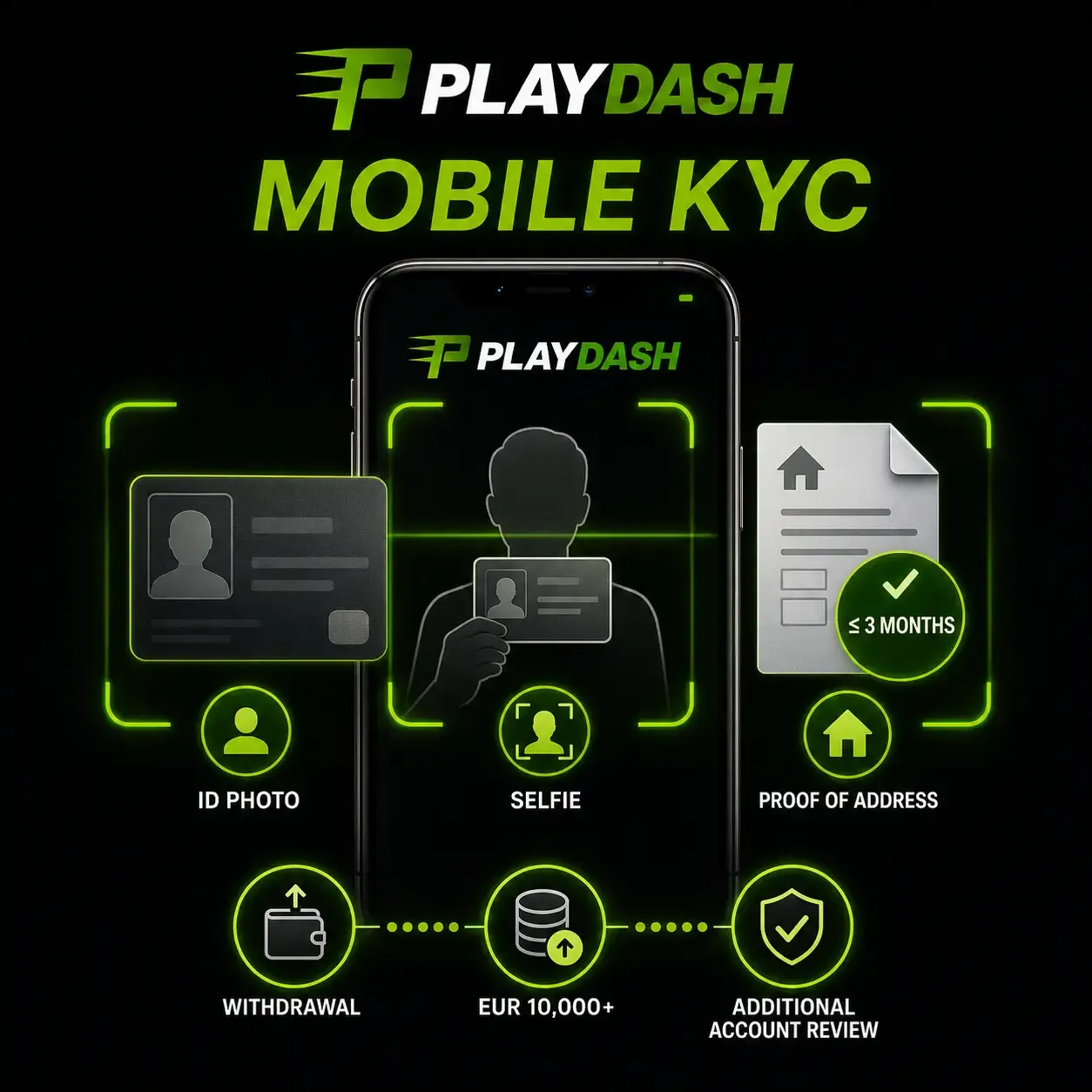
KYC confirms identity, age, address and ownership of the payment method. It is compulsory before withdrawals.
Documents are not required to register or for the first deposit. Full verification applies before withdrawal, when lifetime deposits exceed EUR 10,000, or when suspicious activity is detected. Expect to provide:
- a valid government-issued photo ID;
- a selfie holding the same document, face and details clearly visible;
- a bank statement or utility bill issued within the last three months showing your name and address;
- proof that the payment method belongs to you, when requested.
A failed check comes back with an explanation so you can correct it. Completing KYC early also earns 10 free spins through the Verification Quest described in the bonuses guide.
Getting documents accepted first time
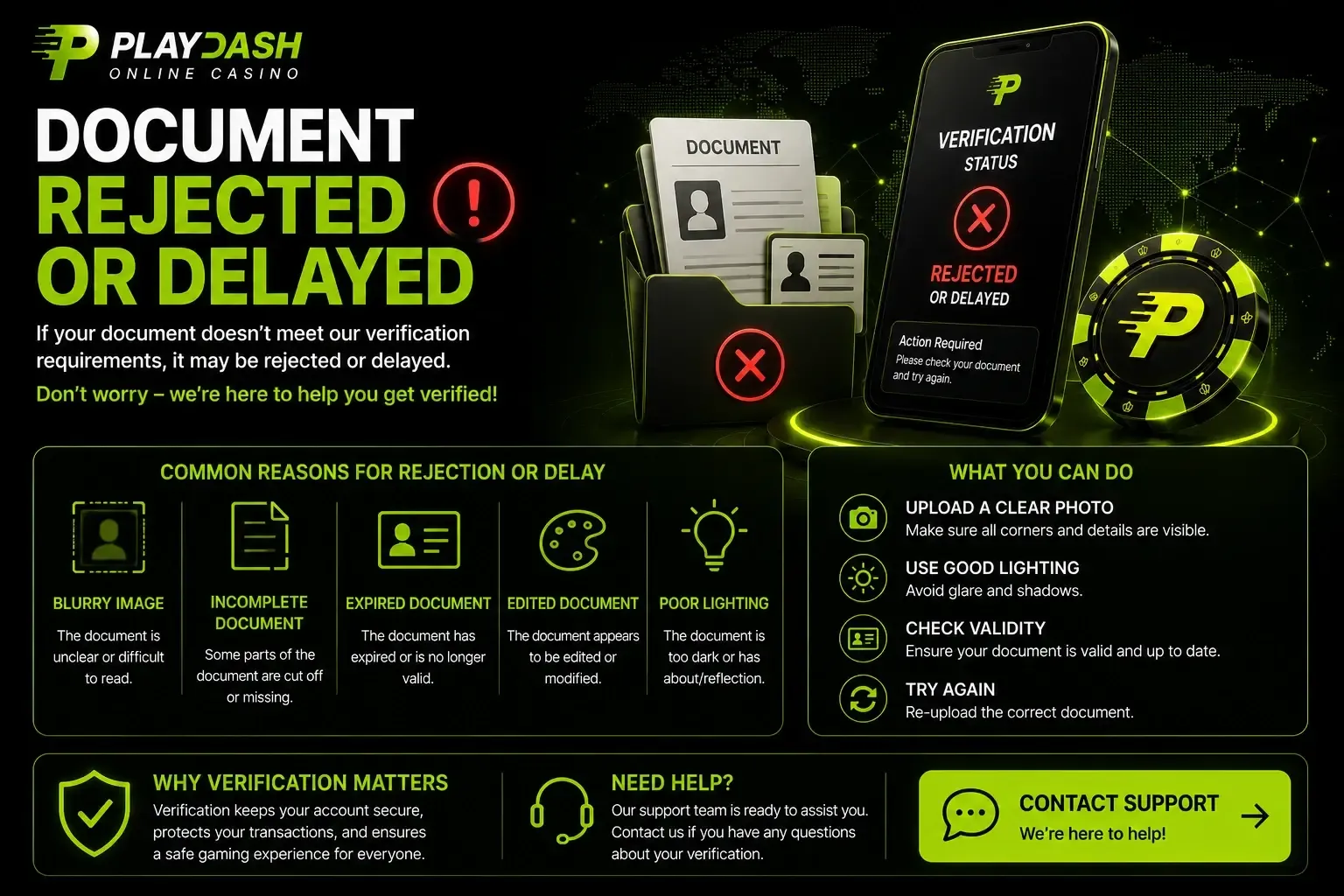
Most KYC problems are not about the type of document but about whether it can be checked reliably. Send files only through the account or a confirmed support channel, never to an unofficial social-media page.
| Problem | Why it causes difficulty | Better approach |
|---|---|---|
| Blurred image | Details cannot be verified | Retake it in good light |
| Cropped document | Information is missing | Photograph the whole document |
| Expired ID | Identity evidence may no longer be valid | Use a current document |
| Edited image | Authenticity is harder to establish | Upload an untouched photo |
| Different names | Account and document data conflict | Keep personal details consistent |
| Old address evidence | Residence information may be outdated | Submit a statement or bill from the last three months |
Payment security
The platform states that it uses 256-bit SSL encryption, stores passwords in encrypted form, does not retain full card numbers and leaves banking authentication to your own bank’s app. Transactions are also monitored for fraud and anti-money-laundering purposes.
- use only payment methods registered in your own name;
- avoid public Wi-Fi, unknown browser extensions and remote-access tools while paying;
- check the website address before every login;
- report unexpected transactions to support immediately.
Payment questions
Is PayNow supported?
PayNow is not confirmed for PLAYDASH accounts in Singapore. Its general availability in Singapore does not mean PLAYDASH accepts it — rely on the methods listed in your own cashier.
Can I pay in SGD?
The currency available to your account is shown during registration and in the cashier. SGD is not confirmed for every account, so check before your first deposit.
How fast are withdrawals?
Processing is stated as around 10 minutes, but timing depends on the method, verification, internal review and the payment provider. No time is guaranteed.
Can I withdraw in USDT?
Crypto withdrawals are confirmed only for players who previously deposited with crypto, using TRC-20 or ERC-20.
Why is my withdrawal pending?
Usually because of KYC, active bonus wagering, mismatched payment details or a review. Check notifications, then contact support with the amount, method, time and reference.
Before your first deposit
Payment problems are easier to prevent than to fix. A few minutes in the cashier before you pay tells you the currency, the methods that also support withdrawal and the limits that apply to your account.
- confirm the account currency and that the method works for withdrawals;
- use a payment account in your own name;
- finish KYC before you need your first payout;
- decide your deposit limit in advance and set it in the account.